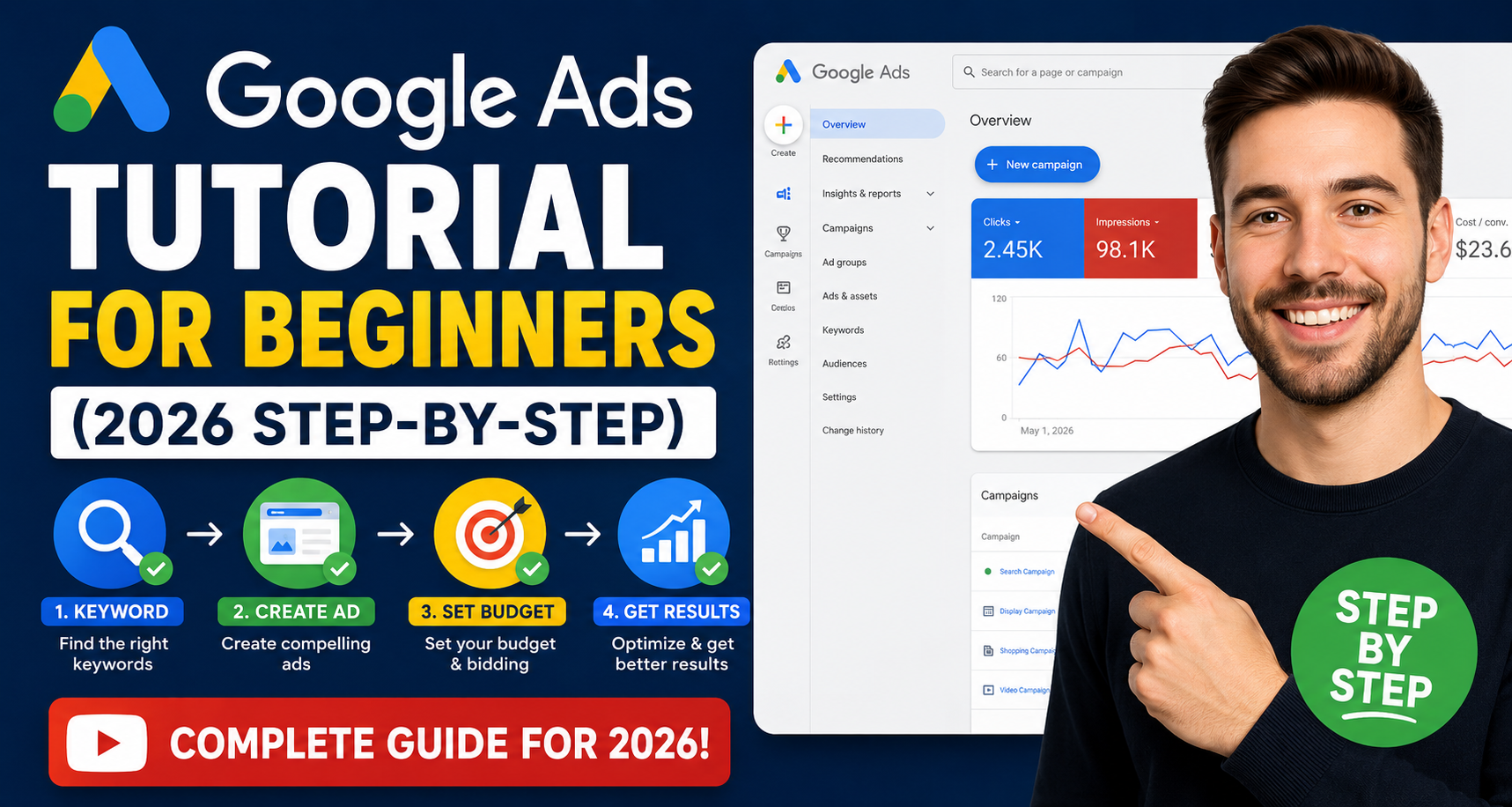
Google Ads Tutorial for Beginners (2026 Step-by-Step)
Google Ads remains one of the most powerful digital marketing platforms in 2026. Whether you are a business owner, freelancer, marketer, or beginner trying to generate leads and sales online, learning Google Ads can help you grow faster than almost any other marketing channel.
The best part? You do not need to be a marketing expert to start.
In this beginner-friendly Google Ads tutorial, you will learn exactly how to create your first successful campaign step by step — even if you have never used Google Ads before.
What is Google Ads?
Google Ads is Google’s online advertising platform that allows businesses to show ads on:
- Google Search
- YouTube
- Google Maps
- Gmail
- Millions of partner websites
Businesses use Google Ads to:
- Generate leads
- Increase website traffic
- Get phone calls
- Drive online sales
- Build brand awareness
Unlike traditional advertising, Google Ads allows you to target people who are actively searching for your services.
For example:
- A plumber can target “emergency plumber near me”
- A dentist can target “teeth whitening service”
- An eCommerce store can target “buy running shoes online”
This is why Google Ads delivers high-intent traffic.
Why Google Ads is Important in 2026
Digital competition is increasing every year. SEO is powerful, but it takes time. Social media marketing can be unpredictable.
Google Ads gives businesses immediate visibility.
Here are some reasons why Google Ads is still dominating in 2026:
1. Instant Traffic
Your website can appear on Google within hours after launching a campaign.
2. High Buying Intent
Users searching on Google are usually ready to take action.
3. Advanced AI Optimization
Google’s AI bidding and audience targeting have become much smarter in 2026.
4. Budget Control
You can start with as little as $5–$10 per day.
5. Measurable Results
Every click, conversion, and lead can be tracked.
Types of Google Ads Campaigns
Before creating your campaign, it is important to understand the major campaign types.
Search Campaigns
These text ads appear on Google search results.
Best for:
- Lead generation
- Local services
- High-intent keywords
Example:
“Best roofing company near me”
Display Campaigns
Image ads shown on websites and apps.
Best for:
- Brand awareness
- Retargeting
Video Campaigns
Ads shown on YouTube.
Best for:
- Brand visibility
- Product promotions
Shopping Campaigns
Product listings with images and prices.
Best for:
- eCommerce stores
Performance Max Campaigns
AI-powered campaigns that run across all Google properties.
Best for:
- Scaling campaigns
- Multi-channel advertising
For beginners, Search Campaigns are usually the best place to start.
Step-by-Step Google Ads Tutorial for Beginners
Now let’s build your first campaign.
Step 1: Create a Google Ads Account
Visit the official Google Ads website and sign in with your Google account.
Click:
“Start Now”
Google may try to guide you through Smart Campaigns. Beginners should switch to:
“Expert Mode”
This gives you full control over your campaigns.
Step 2: Choose Your Campaign Goal
Google will ask for your objective.
Common goals include:
- Sales
- Leads
- Website traffic
- Brand awareness
For beginners, “Leads” or “Website Traffic” is usually the best option.
Step 3: Select Campaign Type
Choose:
“Search Campaign”
This allows your ads to appear when users search on Google.
Step 4: Set Your Campaign Name
Choose a clear campaign name.
Example:
- Roofing Search Campaign
- Dentist Leads Campaign
- Ecommerce Shoes Campaign
Good naming helps with account organization later.
Step 5: Set Location Targeting
Choose where your ads will appear.
Examples:
- United States
- United Kingdom
- Specific cities
- Local service areas
Avoid targeting too broad of an area when starting.
If you are a local business, target only your service area.
Step 6: Set Your Budget
Start small.
Recommended beginner budget:
- $10–$30/day
You can increase your budget after collecting data.
Many beginners waste money by spending too much too early.
Step 7: Choose Bidding Strategy
In 2026, Google’s AI bidding is much stronger than before.
For beginners:
Start with:
- Maximize Clicks
After getting conversions:
Switch to:
- Maximize Conversions
- Target CPA
Step 8: Keyword Research
Keywords are the foundation of Google Ads.
These are the search terms users type into Google.
Example keywords:
- “emergency plumber”
- “roof repair near me”
- “best dentist in London”
Use:
- Google Keyword Planner
- Google Search Suggestions
- Competitor research
Focus on:
- Commercial intent keywords
- Buyer-focused searches
Avoid broad keywords like:
- “marketing”
- “plumbing”
- “lawyer”
These are expensive and often low quality.
Understanding Keyword Match Types
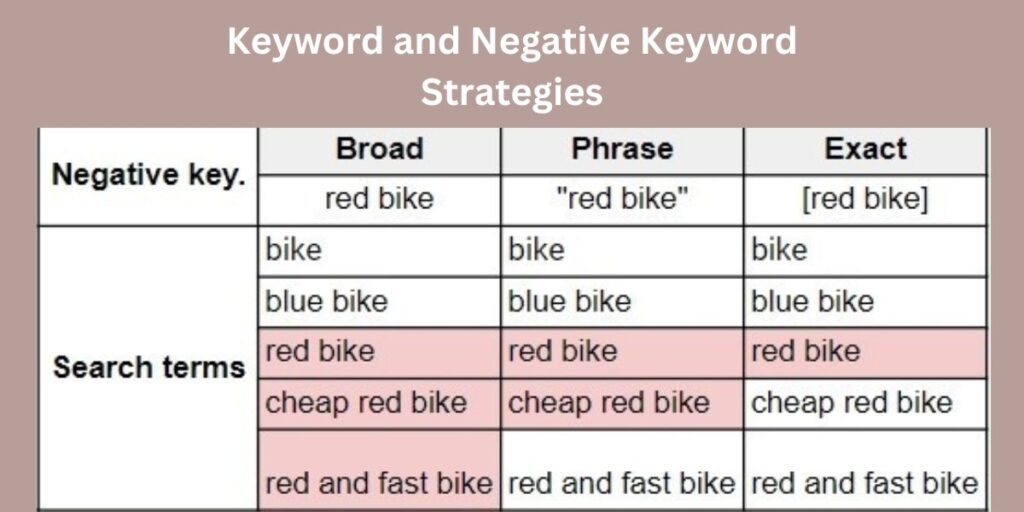
Google Ads offers different keyword match types.
Broad Match
Your ads may appear for related searches.
Example:
Keyword:
running shoes
Can trigger:
“best sneakers for jogging”
Phrase Match
Ads appear for searches containing your meaning.
Example:
“running shoes”
Exact Match
Most targeted option.
Example:
[running shoes]
Beginners should focus mostly on:
- Phrase Match
- Exact Match
Step 9: Create Compelling Ads
Your ad copy is critical.
A great ad increases:
- Click-through rate
- Quality Score
- Conversions
Example Ad Structure
Headline Examples
- Affordable Roofing Services
- 24/7 Emergency Plumber
- Free Google Ads Consultation
Description Example
Get fast, reliable service from experienced professionals. Call today for a free quote.
Best Practices for Writing Google Ads
Include Keywords
Match the user’s search intent.
Add Benefits
Explain why users should choose you.
Use Strong CTAs
Examples:
- Call Now
- Get Free Quote
- Book Today
Add Trust Signals
Examples:
- 5-Star Rated
- Certified Experts
- 10+ Years Experience
Step 10: Add Ad Extensions
Extensions improve visibility and click-through rates.
Important extensions:
- Sitelinks
- Call Extensions
- Location Extensions
- Callout Extensions
These make your ads larger and more attractive.
Step 11: Set Up Conversion Tracking
This is one of the most important steps.
Without conversion tracking, you cannot measure results properly.
Track:
- Form submissions
- Phone calls
- Purchases
- Bookings
Use:
- Google Analytics
- Google Tag Manager
Conversion tracking helps Google optimize campaigns using AI.
Step 12: Launch Your Campaign
Review everything carefully:
- Keywords
- Budget
- Locations
- Ad copy
- Tracking
Then click:
“Publish Campaign”
Your ads usually start running within a few hours.
Common Google Ads Mistakes Beginners Make
Avoiding mistakes can save thousands of dollars.
1. Using Broad Keywords
Broad targeting wastes budget.
2. Ignoring Negative Keywords
Negative keywords prevent irrelevant traffic.
Example:
If you sell premium services, exclude:
- free
- cheap
- jobs
3. Sending Traffic to Poor Landing Pages
Your landing page matters as much as the ad.
A slow or confusing page kills conversions.
4. No Conversion Tracking
Without tracking, optimization becomes impossible.
5. Making Changes Too Frequently
Google’s AI needs time to learn.
Avoid changing campaigns every day.
What is Quality Score?
Quality Score is Google’s rating of your ads.
It affects:
- Ad rankings
- Cost per click
- Campaign performance
Quality Score depends on:
- Ad relevance
- Expected click-through rate
- Landing page experience
Better Quality Scores usually reduce advertising costs.
How Long Does Google Ads Take to Work?
Some campaigns generate results within days.
However, optimization usually takes:
- 2–6 weeks
Google’s AI needs data to improve performance.
Successful advertisers continuously:
- Test ads
- Optimize keywords
- Improve landing pages
- Analyze conversions
Google Ads vs SEO
Both are powerful marketing channels.
Google Ads
- Fast results
- Paid traffic
- Immediate visibility
SEO
- Long-term growth
- Organic traffic
- Higher trust
The best strategy is combining both.
Many successful businesses use Google Ads for quick leads while building long-term SEO authority.
Is Google Ads Worth Learning in 2026?
Absolutely.
Businesses worldwide continue increasing their digital advertising budgets.
Learning Google Ads can help you:
- Start a marketing career
- Grow your agency
- Scale your business
- Generate freelance income
- Build online sales systems
It remains one of the highest-income digital marketing skills today.
Final Thoughts
Google Ads can seem overwhelming at first, but beginners can achieve impressive results by following the right strategy.
Start simple:
- Focus on one campaign
- Target high-intent keywords
- Write compelling ads
- Track conversions
- Optimize consistently
Over time, small improvements compound into major growth.
The businesses winning in 2026 are not necessarily spending the most money — they are using smarter strategies, better targeting, and stronger optimization.
If you are serious about growing online, now is the perfect time to master Google Ads.